 Click here to ask for a free demo






In order to change the owner of a vehicle, follow these steps:
- In the menu, go to Vehicle Management > Vehicle Maintenance,
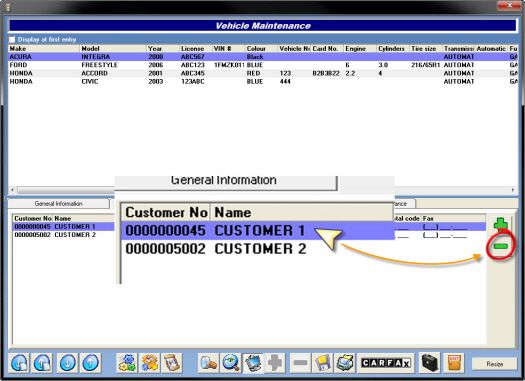
- Choose a vehicle and go to Customer list section,
- Click on the green + sign,
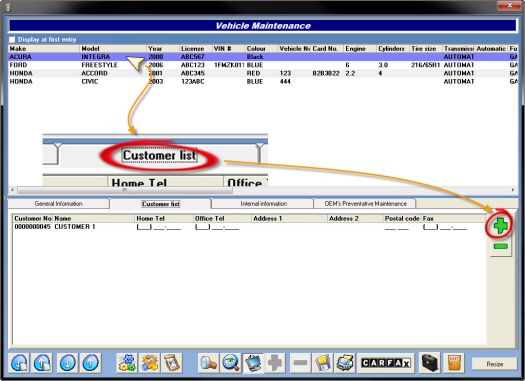
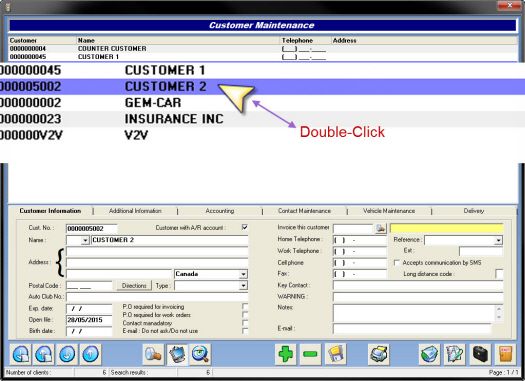
- Find and double-click the new owner, in order to link it to the vehicle,
- Delete the old owner,
- Click Yes, then Exit.